Alight Motion Shake Effect Download (Free XML + Link + Presets)
Alight Motion Shake effects are one of the most popular editing styles used in TikTok edits, Reels, YouTube Shorts, gaming montages, lyrical videos, slow-motion edits, and aesthetic status videos. A clean, smooth, and perfectly timed shake instantly adds energy, impact, and professional motion to your video.
Alight Motion Shake Effects – Complete Guide
Alight Motion Shake effects are among the most popular editing styles used in TikTok edits, Reels, YouTube Shorts, gaming montages, lyrical videos, slow-motion edits, and aesthetic status videos. A clean, smooth, and perfectly timed shake instantly adds energy, impact, and professional motion to your video.
Benefits of Alight Motion Shake Effects
Using Alight Motion shake effects can dramatically improve your video’s quality and viewer engagement. These effects make simple clips dynamic, professional, and perfectly synced with music.
Key Benefits
- Makes videos energetic and engaging — the controlled motion instantly adds impact.
- Improves transitions and beat sync — helps clips flow smoothly and match every beat perfectly.
- Gives a professional, cinematic look — smooth, high-quality motion seen in top-tier edits.
iOS Shake Effect Guide for Alight Motion
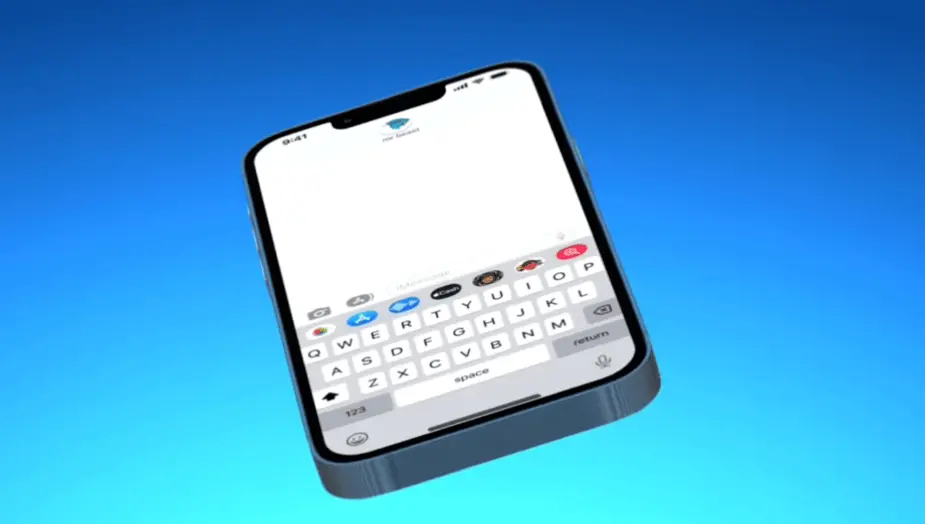
1. Setup Your Project
- Open Alight Motion on your iPhone or iPad.
- Tap “+” to create a new project → set your resolution and frame rate (e.g., 1080×1920 at 30 fps for vertical edits).
- Import your video clip or image.
2. Add a Shake Effect
- Select the layer you want to shake.
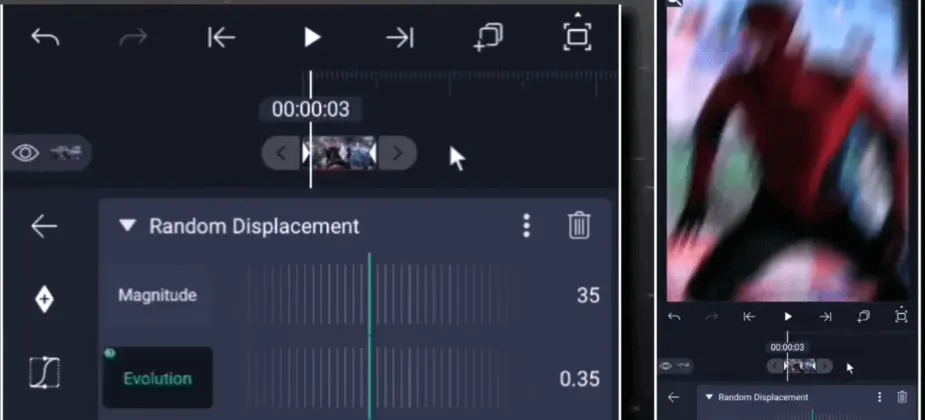
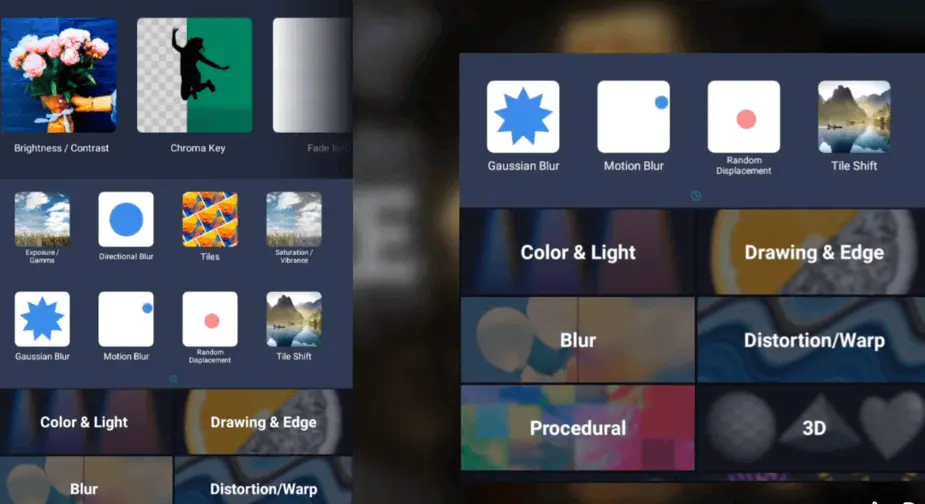
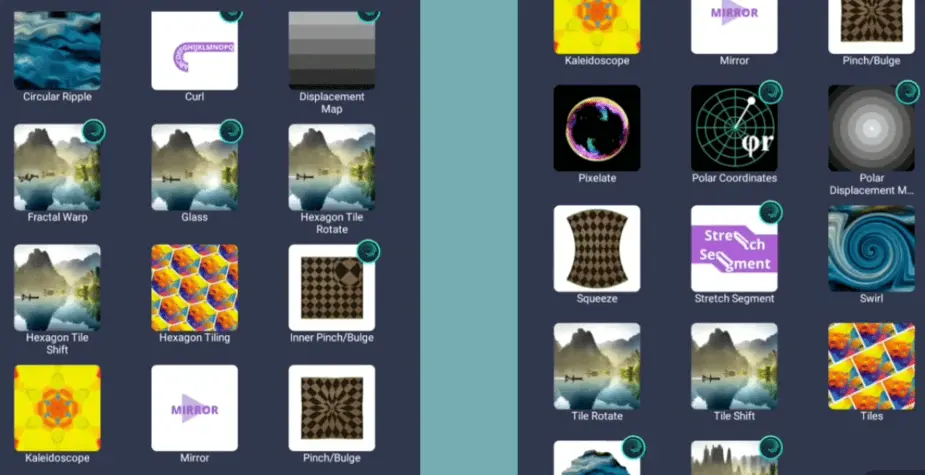
- Tap Effects → search for “Shake”, “Position Shake”, “Oscillate”, or “Wiggle”.
- Choose an effect (for example, “Position Shake”).
- Adjust the effect parameters:
- Amplitude / Magnitude: how far the clip moves.
- Frequency / Speed: how fast the shake occurs.
- Direction: horizontal, vertical, radial, or random.
- Optionally add Rotation / Scale / Zoom within the same layer for a more dynamic effect.
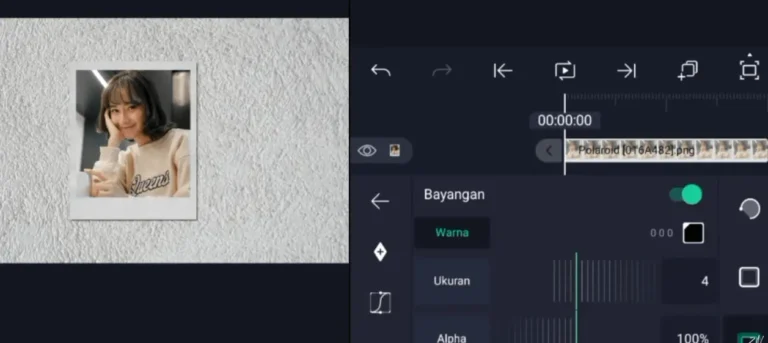
3. Use Keyframes for Control
- Move the playhead to where you want the shake to begin.
- Add a keyframe for the effect’s start.
- Move the playhead to the end point of the shake segment. Add another keyframe.
- Adjust the curves (easing) between keyframes so the shake starts and ends smoothly (ease‑in / ease‐out). Tip from users: > “use the keyframes to adjust the magnitude where you want the shake, then add graphs to adjust the speed.
4. Match to Beat or Event
- If you’re editing for music or transitions, align the shake with a beat drop or camera cut.
- You can zoom in slightly just before the shake for added impact.
- Combine with other effects (flash, zoom, direction change) for variety.
5. Fine‑Tune for iOS Performance
- Preview the clip on your device to check that the shake isn’t too jarring or causing motion sickness.
- For smoother motion on mobile, you might reduce the amplitude or slow the frequency.
- Use Motion Blur or Optical Flow options (if available) to soften the motion.
6. Exporting
- When you’re satisfied, tap Share / Export.
- Choose your export settings (resolution, bitrate).
- For mobile sharing (TikTok, Reels, Shorts) export at 1080×1920, 30 fps.
- Test the output on your phone to ensure the shake looks good on screen.
Pro Tips
- For a soft, aesthetic shake, use low amplitude and slow easing (for example, like a “bounce” effect).
- For a high‑energy, intense shake, increase amplitude and frequency, add zoom or flash just before or after the shake.
- Keep motion aligned and purposeful — if the shake feels random or too long, viewers may get distracted.
- Save your settings or create presets so you can reuse shake effect styles easily.
Why alight motion Shake Effect is Used (With Details)
✔ To Add Energy – Makes the scene feel powerful and dynamic instead of flat.
✔ To Emphasize a Beat – Every time the beat drops, shake adds impact.
✔ To Create Smooth Transitions – Shake helps blend one clip into another.
✔ To Show Emotion / Drama – Gentle shake can enhance emotional or suspenseful moments.
✔ To Make Edits Look Professional – Editors on TikTok, YouTube, CapCut use shake in all high-quality edits.
✔ To Match Velocity/Slow Motion – Shake + speed change makes the edit more stylish.
✔ To Get Viral Feel (Trending Style) – Most viral edits use some kind of shake effect.
✔ To Highlight Action (Gaming/Fight scenes) – Strong shake adds intensity when something big happens.
✔ To Avoid Static Boring Clips – Even a simple clip becomes exciting with a small shake.
Popular Types of Alight Motion Shake Effects
Fast Shake (High-Energy / Beat Sync)
Fast Shake is perfect for energetic moments, matching music beats for a strong visual impact. Popular in gaming, anime, and fast-paced edits.
Why use it:
- Perfect for fast beats
- Adds intensity in transitions
- Dramatic motion for action scenes
- Customizable timing and direction
Pro Tip: Use Fast Shake on every beat drop or major transition to make your edit feel perfectly synced with the music.
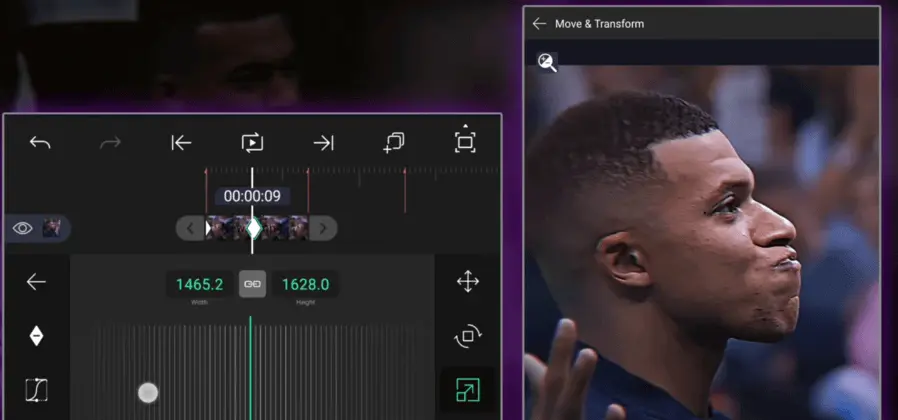
Zoom Shake (Push-In + Shake)
Zoom Shake combines a quick camera zoom with shake for intense, eye-catching edits. Ideal for transitions, character reveals, and high-impact scenes.
Why editors love it:
Eliminates the need for separate zoom and shake
Adds cinematic “rush-forward” motion
Ideal for beat drops and reveals
3D immersive effect
Due to these extra ordinary effects and motions, alight motion shake effects demand is increasing day by day.
Why editors love it:
- Adds a powerful “rush-forward” motion combined with shake — giving cinematic depth.
- Ideal for beat drops, reveals, transitions, and energetic highlights.
- Gives an effect that feels 3D and immersive.
- Works well when you want both zoom and shake at the same time — no need for two separate effects.
Download these sample Zoom alight motion Shake effect links (import into your projects):
- Zoom Shake Basic —
https://alight.link/b89qcL3q2iT3pjybDAr0eAlight Creative - Zoom Shake Push-In Hard —
https://alight.link/ZOOM123XYZ789(sample) - Zoom Shake Beat Drop Sync —
https://alight.link/ZOOMBDSYNC456(sample)
Pro Tip:
Apply the Zoom Shake right on the beat (or instantly after a cut) and increase the zoom scale to around 110-120% for a noticeable push effect. Then adjust the shake amplitude so it isn’t too jarring — you want drama without chaos.
Directional Shake (Left, Right, Up, Down Movement)
Directional Shake moves clips intentionally in one direction, making motion clean, smooth, and professional. Perfect for lyric edits, transitions, and aesthetic videos.
Why use it:
- Smooth, controlled motion
- Matches subject movement naturally
- Professional look for transitions and text
Types of Directional Shake:
- 👉 Left Shake – Good for slide-out transitions
- 👉 Right Shake – Often used with slide-in effects
- 👉 Up Shake – Creates lifting or “pop” effect
- 👉 Down Shake – Adds drop or impact feeling
Download Directional Shake Effect Links:
- Left Shake Smooth – https://alight.link/xY4cXrupY1J6nYYp7
- Right Shake Transition – https://alight.link/5hBuWWJHLoTT5F64A
- Upward Shake Pop – https://alight.link/MRKhL4ZSLqpFqRkaA
- Downward Impact Shake – https://alight.link/rQMKapK797PzPsZd6
Pro Tip:
To get cinematic results, combine Directional Shake + Motion Blur. This makes movement feel natural and buttery smooth.
Flash + Shake Effect (Impact & Attention Grabber)
Flash + Shake creates a bright flash followed by shake for high-impact visuals. Widely used in AMVs, fight scenes, and beat-heavy edits.
Why editors love it:
- Extreme visual impact
- Perfect for beat drops
- Flash grabs attention instantly
- Shake adds energy and motion
Best places to use Flash + Shake:
- 🎵 Beat drop moments
- 🎬 Transition scenes
- ⚡ Fight/action scenes
- 💥 Explosion or punch effects
- 😭 Emotional climax in AMVs
Download Flash + Shake Effect Links:
- Flash Shake Impact – https://alight.link/BmwUdW3dPgw8uyeeA
- Beat Drop Flash + Shake – https://alight.link/oPKGRDaqjbs17nNLA
- Intense Light Burst Shake – https://alight.link/9ShQ3GAEBqjy7Fka6
Pro Tip:
Keep the flash duration very short (0.1 to 0.2 sec) and sync it exactly with the audio beat. Then adjust shake amplitude to avoid making the video too chaotic.
Rotation Shake (Spin + Shake Effect)
Adds a spinning motion with shake for dramatic and stylish effects, commonly used in anime, transitions, and action scenes.
Why editors use it:
- ✅ Adds a unique spinning effect with shake
- ✅ Looks powerful and stylish in transitions
- ✅ Great for anime, action, and music beat edits
- ✅ Can be light tilt or full spin for impact
- ✅ Makes the clip feel more 3D and dynamic
Best places to use Rotation Shake:
- 🎬 Scene transitions
- 🎵 Beat drops
- ⚔️ Fight or action moments
- 💫 Dramatic reveals
- 🔄 Spin transitions between clips
Download Rotation Shake Effect Links:
- Smooth Rotation Shake – https://alight.link/J5vBN2SrQXEpWukP6
- Heavy Spin Shake – https://alight.link/ebghhueVwYWNdBCp7
- Beat Sync Spin Effect – https://alight.link/6Zr4N16GxpVoMHLJ7
Pro Tip:
Don’t over-rotate on slow music. Use light rotation (5–10 degrees) for smooth edits. For hype beats, you can use fast spin + high amplitude shake.
If you want to download the full version of Alight Motion APK and explore all features, you can visit the official homepage
Elastic Shake (Bouncy / Smooth Shake Effect)
Elastic Shake creates soft, bouncy motion for aesthetic, lyrical, and emotional edits.
Elastic Shake also provides a professional “ease-in, ease-out” animation style, often seen in high-quality motion graphics. Among all alight motion shake effects, it works especially well for transitioning between clips or adding text and elements onto the screen.
Why editors love it:
- ✅ Soft, bouncy movement instead of aggressive shake
- ✅ Very smooth and satisfying to watch
- ✅ Perfect for aesthetic and emotional edits
- ✅ Looks professional and polished
- ✅ Great for text, overlays, or transitions
Best uses of Elastic Shake:
- 🌸 Aesthetic or soft-themed edits
- 🎵 Slow or emotional beat sync
- ✨ Smooth transitions between scenes
- 📝 Lyric edits (each word bounces in)
- 🎀 Cute / romantic / chill vibes
Download Elastic Shake Effect Links:
- Smooth Elastic Shake – https://alight.link/VddmeZhyKDrc8LnV8
- Bouncy Transition Shake – https://alight.link/ickLMy9zRgPfxaYZ7
- Soft Elastic Beat Shake – https://alight.link/o1SLLyHx6q7PRVxU6
Pro Tip:
Use low amplitude and slower easing for aesthetic edits. If you want more bounce, increase the “elasticity” or “overshoot” settings.
Glitch Shake (Digital Distortion + Shake Effect)
Glitch Shake combines shaking with digital effects like RGB split, screen tear, or noise. Ideal for tech, gaming, or futuristic edits
Unlike normal shake, Glitch Shake includes RGB split, screen tearing, flicker, and static noise, which adds chaos and energy to the video. It’s amazing for syncing to glitch sounds or electronic beats in music.
Why editors love it:
- ✅ Adds digital distortion + motion at the same time
- ✅ Makes edits look modern, techy, or futuristic
- ✅ Perfect for gaming, AMVs, and intense transitions
- ✅ Highly effective with glitch sound effects
- ✅ Can be subtle or extreme based on style
Best places to use Glitch Shake:
- 🎮 Gaming montages
- 🤖 Cyberpunk / tech / sci-fi edits
- ⚡ Beat drops with glitch sound
- 🔁 Scene or camera switch transitions
- 😈 Intense emotional or dark moments
Download Glitch Shake Effect Links:
- Classic Glitch + Shake – https://alight.link/W5PKAE4ZDXQ63fC99
- RGB Split Glitch Shake – https://alight.link/MxLELMyUBPU9kzSc7
- Heavy Digital Distortion Shake – https://alight.link/uBNi7qNEKJr2k7h58
Pro Tip:
Pair Glitch Shake with sound effects (static, zap, distortion) for maximum impact. Use it briefly—too much glitch can overwhelm the viewer.
Beat Shake (Perfect Beat Sync Effect)
Moves exactly with the music’s rhythm, perfect for dance, music videos, and transitions. Beat Shake can be soft or intense depending on the song.
It gives your edit a satisfying “bounce” on every beat drop or snare hit, keeping the viewer engaged from start to finish. When combined with timing and velocity, it creates the smooth flow that viral edits are known for.
Why editors love it:
- ✅ Perfectly follows music rhythm
- ✅ Makes edits look professionally synced
- ✅ Works great with slow or fast beats
- ✅ Ideal for transitions and cuts
- ✅ Keeps viewer engaged through motion
Best uses of Beat Shake:
- 🎵 Music or lyric videos
- 🎬 Transition between clips
- 🎧 Beat drop emphasis
- 💃 Dance / performance edits
- ⚡ Velocity + beat sync combos
Download Beat Shake Effect Links:
- Beat Shake Sync (Smooth) – https://alight.link/5LmDtFQ7F6eBe5AP9
- Hard Beat Drop Shake – https://alight.link/maPRm4yRpkJJHvqV9
- Beat Mark Transition Shake – https://alight.link/TVGknURBfmMU7e7b8
- Rhythmic Shake Motion – https://alight.link/VGv6WPu1DyJwAT1AA
- Clean Beat Bounce – https://alight.link/5ib8xVutTXvTK6vg9
Pro Tip:
Use Beat Mark feature inside Alight Motion to mark the beats, then place your shake effect exactly on those marks for perfect timing.
Heavy Shake / Extreme Shake (Maximum Power Effect)
Heavy Shake delivers intense, rapid movement in multiple directions, ideal for epic beat drops, action, and high-energy transitions.It’s perfect for epic beat drops, action scenes, dramatic reveals, gaming montages, anime fight moments, or high-energy transitions.
This effect instantly adds hype and makes everything look powerful and aggressive. When used with velocity or zoom, it creates the viral “BOOM” effect seen in top edits.
Why editors use Heavy Shake:
- ✅ Extremely intense and powerful motion
- ✅ Adds hype and energy instantly
- ✅ Perfect for action, gaming, and AMVs
- ✅ Makes beat drops feel explosive
- ✅ Combines well with zoom, flash, or glitch
Best places to apply Heavy Shake:
- ⚔️ Fight scenes or explosions
- 🎮 Gaming kill montages
- 💥 Dramatic drops or climaxes
- 🎵 Hard beat sync sections
- 🔥 Fast transitions with velocity
Download Heavy / Extreme Shake Effect Links:
- Extreme Power Shake – https://alight.link/PuXu8mJoxVJYYR5q9
- Heavy Drop Shake – https://alight.link/5LmDtFQ7F6eBe5AP9
- Intense Motion Shake – https://alight.link/maPRm4yRpkJJHvqV9
Pro Tip:
Use Heavy Shake in short bursts (0.2–0.5 sec). If it lasts too long, it will overwhelm and reduce visual clarity. Combine it with flash or zoom for next-level impact.
3D Shake Effect (Cinematic Depth & Realism)
3D Shake adds realistic depth by moving clips along X, Y, and Z axes, simulating handheld camera motion. This effect is commonly used in dramatic scenes, emotional transitions, travel reels, slow-motion clips, and cinematic storytelling. It helps the viewer feel more “inside” the scene instead of just watching it.
Why editors love 3D Shake:
✅ Adds depth-based movement (Z-axis)
✅ Feels like real camera motion
✅ Gives professional cinematic vibes
✅ Great for slow-mo and dramatic scenes
✅ Smooth and not overly aggressive
Best places to apply 3D Shake:
🎬 Cinematic edits
✈️ Travel / nature reels
🎭 Emotional storytelling
🎞 Slow transitions
🎵 Aesthetic music videos
Download 3D Shake Effect Links:
Cinematic 3D Motion – https://alight.link/qJRFq6EbKb19sS6F6
Depth Shake Preset – https://alight.link/Ta7sHcFZgHVYHb3y9
Smooth 3D Camera Shake – https://alight.link/NrUkzXW9PBfL87tB8
Pro Tip:
Pair 3D Shake with slight blur or depth-of-field effect for maximum realism. If the subject is in focus and the background moves more, it looks like a real camera shot.
Velocity Shake (Trending Beat Sync & Speed pulse Effects)
Velocity Shake combines speed changes with dynamic shake to enhance beat drops and motion impact. Instead of shaking constantly, Velocity Shake activates at key beat points.
It provides your edit a rhythmic, professional, and satisfying impact. This is the effect that makes viewers say “WOW!” because it feels perfectly synced with the music.
- Beat sync edits
- Anime power-ups
- Gaming kill highlights
- Fast transitions
This effect is extremely popular in gaming edits, AMVs, dance videos, transitions, and slow-to-fast scenes.
Why editors love Velocity Shake:
✅ Perfect beat synchronization
✅ Mix of slow-motion and fast hits
✅ Creates satisfying motion on impact
✅ Looks extremely professional
✅ Works GREAT with velocity + zoom
Best places to use Velocity Shake:
🎮 Gaming kill edits (slow → BOOM!)
🎵 Beat drop moments
⚡ Transition between scenes
🎭 Anime fight impact
🎬 Slow to fast cinematic cuts
🕺 Dance & music videos
Download Velocity Shake Effect Links:
Smooth Velocity Shake – https://alight.link/F5QwK8rSdZB1cE4t7
Beat Sync Velocity Shake – https://alight.link/AVgGvLsSKXc19Jf8A
Velocity + Zoom Shake Combo – https://alight.link/izHOT0GmFXd8zB3A1
Velocity Drop Shake – https://alight.link/rQMKapK797PzPsZd6
Speed Pulse Shake – https://alight.link/MRKhL4ZSLqpFqRkaA
Pro Tip:
For the best results, add keyframes to slow down the clip before the beat, then speed it up on the drop, and place the shake effect exactly at the fast moment. Combine with zoom-in or flash for extra punch!
Custom / User-Made Shake (Full Control)
Custom shakes are fully adjustable shakes created using Keyframes + Position + Rotation + Graphs. Editors design their own style for unique identity.
Best for:
- Advanced editors
- Unique transitions
- Matching specific beats
- Signature style edits
Download Links:
Pro Custom Shake – https://alight.link/W5PKAE4ZDXQ63fC99
Smooth Keyframe Shake – https://alight.link/MxLELMyUBPU9kzSc7
Glitch Shake (Digital Distortion + Shake)
This shake mixes shaking with glitch effects like RGB split, screen tear, block noise, or digital distortion. It feels chaotic and high-tech.
Best for:
- Tech / hacker style edits
- EDM or electronic music
- Gaming montages
- Futuristic transitions
Download Links:
Glitch Pulse Shake – https://alight.link/ickLMy9zRgPfxaYZ7
Digital Break Shake – https://alight.link/o1SLLyHx6q7PRVxU6
. Other Notable Shakes
- Camera Shake: Realistic handheld vibe
- Earthquake Shake: Violent, chaotic motion
- Bounce Shake: Gentle rhythmic movement
Download Links:
Shake Effects Xml Files
| Shake Type | Download |
|---|---|
| Zoom Shake | zoom-shake.xml |
| Fast Shake | fast-shake.xml |
| Directional Shake | directional-shake.xml |
| Flash Shake | flash-shake.xml |
| Rotation Shake | rotation-shake.xml |
| Elastic Shake | elastic-shake.xml |
| Glitch Shake | glitch-shake.xml |
| Beat Shake | beat-shake.xml |
| Heavy / Extreme Shake | heavy-shake.xml |
| 3D Shake | 3d-shake.xml |
| Velocity Shake | velocity-shake.xml |
| Custom Shake | custom-shake.xml |
| Earthquake Shake | earthquake-shake.xml |
| Bounce Shake | bounce-shake.xml |
Conclusion
This guide provides 50+ Alight Motion Shake effects and shows exactly how to use them. Alight Motion Shake effects are an essential tool for modern video editors, giving clips energy, style, and professional polish.
From subtle Elastic Shakes to explosive Heavy Shakes, these effects help elevate ordinary footage into dynamic, engaging edits. Whether creating TikTok edits, YouTube Shorts, or gaming montages, mastering these shakes allows editors to craft visually stunning and perfectly synchronized content.