Alight Motion vs CapCut: Which is the Best Video Editing App?
Still confused? Which app is most deserving for advanced graphics or video editing? Don’t worry at all, we are here to help you. In this guide, we will cover all aspects regarding Alight Motion vs CapCut.
Alight Motion and CapCut apps both are beneficial and both have some special features. These apps are lights with inevitable brilliance and most excellent working measures. Using Alight Motion is incredible for editing, and this software could be genius to provide you enhanced experiences like never before.
Alight Motion vs CapCut: Which Video Editing App Reigns Supreme
- Alight Motion:
For advanced motion graphics and best video editing, Alight Motion is always a premium choice. Use it for professional-grade animations, audio editing, and best visual effects. Use it on desktop devices or mobile phones, it works great on both of them.
Use its rich array of features without any hesitation. No issue if you are a newbie also. Professionals always admire Alight Motion’s new and needed features. In video editing, Alight Motion vs CapCut is not the only query—there are many other options available as well.
Video editing enthusiasts appreciate its functionality and smooth workflow. VivaCut is another video editing app; it’s not as advanced as these two, but it’s a good choice for beginners. You can check it out on the Play Store.
Key Features of Alight Motion
1. Professional Motion Graphics:
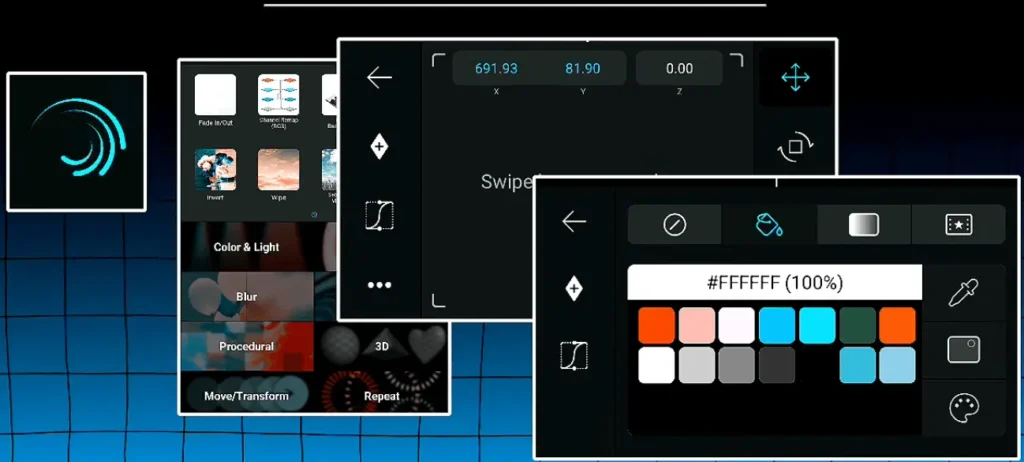
Alight Motion stands out for its ability to create advanced motion graphics. It allows users to animate objects, text, and shapes with precision using keyframe animation tools.
2. Multi-Layer Editing:
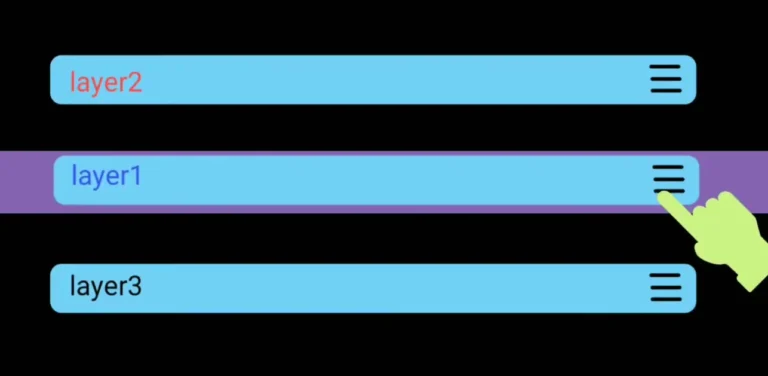
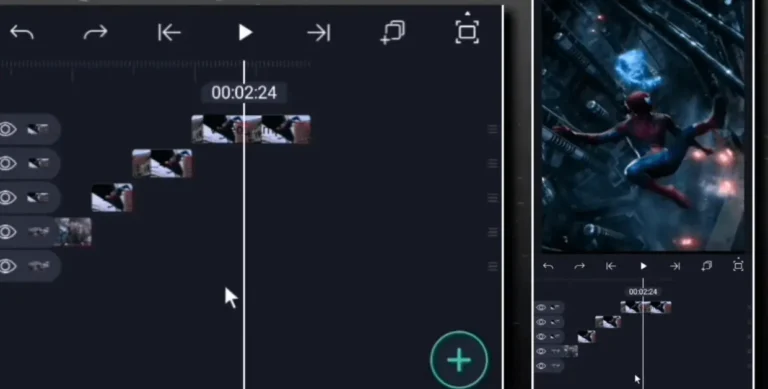
Users can work with multiple layers of video, images, text, and audio to achieve complex visual compositions. This layered structure gives editors more control over how their videos look and move.
3. Keyframe Animation:
Every element in the video can be animated frame-by-frame, giving editors full flexibility to add smooth transitions, movements, and visual flow to their projects.
4. Visual Effects and Color Correction:
The app offers a vast library of visual effects, blending modes, and color adjustment tools, making it easy to enhance video aesthetics and achieve cinematic looks.
5. Vector and Bitmap Support:
Alight Motion supports both vector and bitmap graphics, allowing for high-quality design and scalable visuals — perfect for creating logos, icons, or graphic overlays.
6. Audio Editing Tools:
With built-in sound editing features, users can trim, mix, and synchronize audio clips easily to match the video’s rhythm and tone.
7. Export Options and Formats:
You can export your projects in different resolutions, frame rates, and formats — including MP4 and GIF — maintaining flexibility for social media platforms or professional use.
Pros and Cons of Alight Motion
Pros:
- Flexible Subscription Options: The app offers a free plan that includes several essential tools and features, allowing users to explore editing before committing to a paid version.
- Beginner-Friendly Interface: Its simple and user-oriented layout makes video editing smooth and accessible, even for newcomers.
- Regular Feature Enhancements: The development team consistently rolls out updates, bringing in modern functions and improved performance.
- Wide Device Compatibility: Alight Motion runs efficiently on both Android and iOS devices, ensuring a seamless experience across platforms.
Cons
- Limited Professional Depth: The app may fall short for creators working on top-tier or highly complex editing projects.
- Premium Pricing: Unlocking full access to advanced tools requires a paid plan, which might be costly for some users.
CapCut
CapCut is also widely used for pro-level projects because of its toolset. It is also popular for sophisticated and quality videos. It is one of the large-level used applications for video editing projects in a flow.
It has some beautiful flexible features like multi-export, retro effects, and many font styles to amuse users. Creative people enjoy the features of this app. Alight Motion vs Capcut is a well known question due to their features.
Key Features of CapCut
1. All-in-One Video Editing Suite:
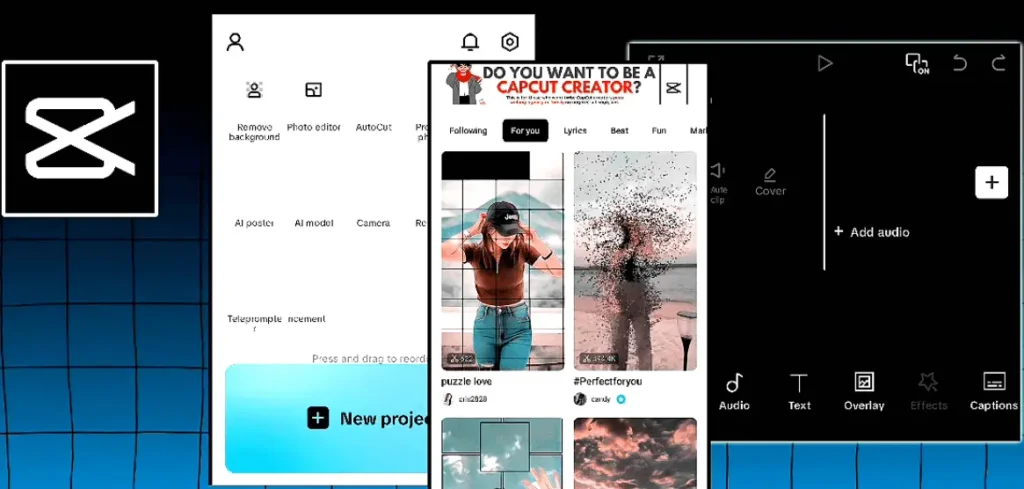
CapCut provides an extensive range of tools including trimming, cutting, reversing, merging, and splitting — making it suitable for both quick edits and complex productions.
2. Advanced Filters and Effects:
It includes a wide variety of filters, cinematic effects, and visual transitions that can instantly transform ordinary clips into professional-quality content.
3. Text and Subtitle Customization:
CapCut allows users to add text overlays, dynamic captions, and animated fonts. Its large font library helps creators produce engaging and stylish videos for social media.
4. AI-Powered Tools:
With features like auto captioning, background removal, and facial recognition, CapCut simplifies advanced editing tasks, saving time while improving accuracy.
5. Music and Sound Integration:
The app offers an extensive library of royalty-free music and sound effects, allowing seamless integration of audio that matches the video’s tone.
6. Template and Auto-Edit Options:
CapCut provides pre-made templates for TikTok, Instagram, and YouTube videos. These templates allow even beginners to produce high-quality content quickly.
7. Multi-Platform Support and Cloud Sync:
While mainly designed for mobile, CapCut also supports desktop editing with cloud synchronization, enabling users to continue their work across devices smoothly.
Pros and Cons of CapCut
Pros
- Extensive Editing Toolkit: CapCut offers a powerful collection of advanced tools and features, making it ideal for crafting professional-quality videos.
- Precision and Control: The app provides excellent synchronization between templates and effects, allowing precise timing and refined editing results.
- Comprehensive Learning Support: Users can access numerous tutorials and guides provided by the CapCut team, helping beginners and professionals alike master the platform.
- Creative Visual Effects: Packed with a variety of stylish and eye-catching effects, CapCut enables you to produce visually impressive videos in just a few minutes.
Cons
- Limited Platform Availability: Primarily designed for mobile devices, it lacks full functionality on desktops, which can restrict flexibility for some editors.
- High Resource Demand: The app performs best with a strong and stable internet connection, as heavy editing processes may consume considerable data and system resources.
My Favourite:
If you are a social media activist or love it and want videos with unique effects, you should go with Alight Motion. Travelers and short video makers should choose it also. Visit official paid plans page for prices and plans.
If you need an application for a long project and you have a good budget, your choice should be CapCut. Look your project details before asking questions about alight motion vs capcut. There are many things like your editing needs, your project intricacy level, and needed features, etc. Fu
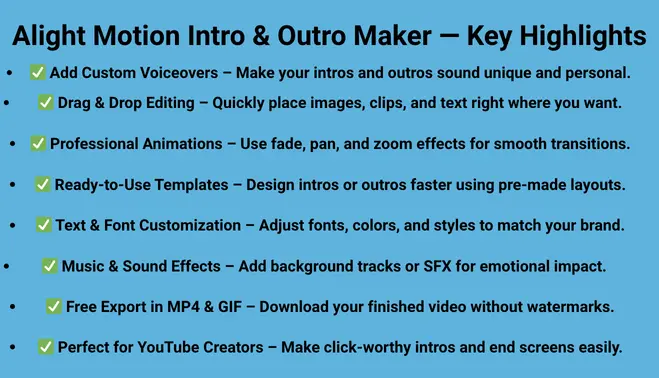
My favourite is Alight Motion, it is easy to use because it follows easy methods to do your job. You can move layers, change different effects, and use animations also. You can even create Intros and outros using this applicaiton. Just install the app and start your editing today.
Getting Started with Your Selected App
No matter which app you pick, it’s important to get comfortable with the basics first:
- Learn the Layout: Take some time to explore the app’s interface so you know where the tools and menus are.
- Basic Editing Skills: Focus on simple tasks like cutting, trimming, and arranging clips before diving into advanced features.
- Try Effects and Transitions: Play around with filters, effects, and transitions to see how they change your video.
- Understand Export Options: Check the export settings for different platforms to make sure your videos come out looking their best.
Take Your Mobile Video Editing to the Next Level
Mobile video editing is constantly improving, and both Alight Motion and CapCut keep adding new features to make editing easier and more creative. Alight Motion vs capcut is a question? I think alight motion vs capcut is a comparison. Each app has its own style and strengths, appealing to different kinds of creators. Knowing these differences can help you choose the app that best fits your goals.
If you’re just starting out or mainly create content for social media, Alight Motion is a great place to begin. Its easy-to-use interface and large collection of ready-made effects let you make engaging videos quickly.
As you gain experience and want more control over your projects, Capcut offers advanced tools for detailed animations, motion graphics, and visual effects.
Ultimately, the best app is the one that lets you express your ideas most effectively. Both Alight Motion and CapCut are powerful in the right hands, and spending time learning either will improve your videos and make your workflow more efficient.
Transform Your Audio or Video into Multiple Formats
You don’t have to limit your content to just one platform. With the right tools, you can turn your videos or audio recordings into short clips, blog posts, newsletters, and even social media snippets.
- Create Short Clips: Extract key moments from longer videos to share on platforms like Instagram, TikTok, or YouTube Shorts.
- Repurpose for Blogs: Convert video or audio content into written articles to expand your reach and improve SEO.
- Build Newsletters: Summarize your content into engaging newsletter segments for your audience.
- Cross-Platform Sharing: Adapt the same content for multiple channels, saving time while maximizing impact.
Repurposing content in this way helps you reach more people and keeps your creative work working harder for you.
How to Maximize Your Video Editing Potential?
Getting the most out of your video editing app requires understanding its tools and using them effectively. Whether you choose Alight Motion or CapCut, following these strategies can help you make the right decision in the Alight Motion vs CapCut comparison.
When comparing Alight Motion vs CapCut, it’s important to understand how each app handles editing tools and creative effects. The Alight Motion vs CapCut debate often comes down to which offers better control for professional-quality results. By exploring features, pricing, and ease of use, you can decide which side of the Alight Motion vs CapCut comparison best fits your editing style.
- Learn the Basics First: Familiarize yourself with core editing tools like trimming, splitting, arranging clips, and adding transitions. CapCut’s beginner-friendly interface makes this easier for newcomers, while Alight Motion allows more precise control for advanced edits.
- Experiment with Effects: Both apps offer a variety of effects and filters. Use CapCut’s pre-made templates for quick results, and explore Alight Motion’s keyframe animations and visual effects for more creative freedom.
- Layer Your Content: Alight Motion excels at multi-layer editing, letting you combine video, images, text, and graphics for professional-looking compositions. CapCut also supports layers but focuses more on fast and efficient editing.
- Enhance Your Audio: Sync your audio with visuals carefully. Both apps let you trim, adjust, and mix audio tracks to improve the final output.
- Optimize Export Settings: Make sure to export videos in the right resolution and format for your target platform. Alight Motion supports high-resolution and GIF exports, while CapCut is excellent for social media-friendly formats.
- Practice Regularly: The more you edit, the faster you’ll learn shortcuts and creative techniques. Start with simple projects in CapCut, then explore Alight Motion’s advanced tools as your skills grow.
By combining the strengths of each app and practicing consistently, you can fully unlock your video editing potential and create engaging, professional-quality content.
Conclusion
In my opinion, Alight Motion is better for small and colorful video edits, while CapCut is more suitable for larger projects. Some people argue the opposite, saying CapCut is for smaller edits and Alight Motion is for bigger projects. You should try both, as we are offering premium features for Alight Motion for free, and you can also find CapCut mods as well. So, try both and choose the one that works best for you. My final recommendation is Alight Motion.
Alight Motion and CapCut are both the best video editors. It’s your need which prefers them. Alight Motion is very new for good short videos and social media lovers. One can do large projects also. CapCut is a loving tool for advanced-level editors. If you’re a beginner, my opinion is you should choose Alight Motion. Understand your video editing needs and choose the app smartly!