How to Move Layers in Alight Motion: A Full Guide to Layer Control
Layers play a key role in every animation or video project you create in Alight Motion. If you’re editing content for TikTok, Instagram, or even for your brand, knowing how to move layers in alight motion properly, can save you loads of time and stress.
We’ll cover perfect transitions and some helpful tricks like grouping, merging, and renaming layers. If you’re learning how to move layers in Alight Motion, these techniques will help you work faster and keep your projects organized. Whether you’re creating a video for a fashion label like Zara or designing an animation for a local bakery’s Instagram, mastering these tools will make your workflow much easier.
Layers make your content editable and allow you to style it in a new way. It is for animations, images, shapes, or text. These layers serve as building blocks for animating or editing your videos or other projects.
Why do We need to move layers in Alight Motion and Why it is Important?
Crafting Stories Through Visual Layers
When I first started creating promotional content for a local coffee shop, I realized how much of a game-changer layers are in any video editing project. While working on the design, I learned how to move layers in Alight Motion to perfectly align the shop’s logo, a high-quality image of their best-selling product, and a catchy text saying “Best Coffee in Town.” Each of these elements needed its own setup within the editing timeline.
Here’s why moving layers matters:
Unlock Creative Freedom: Being able to move, tweak, and reposition them without affecting other parts of the video gave me the freedom to be more creative.
Work Smarter, Not Harder: I could swap out the background or adjust the animation on the logo without disturbing the text or product visuals.
Stay Organized and Precise: Each element having its own setup ensures full control over timing, effects, and placement.
Edit with Confidence: Working in Alight Motion made this feel smooth and almost second nature once I got comfortable using it.
In short: Moving layers keeps your workflow flexible, your design clean, and your final video more professional.
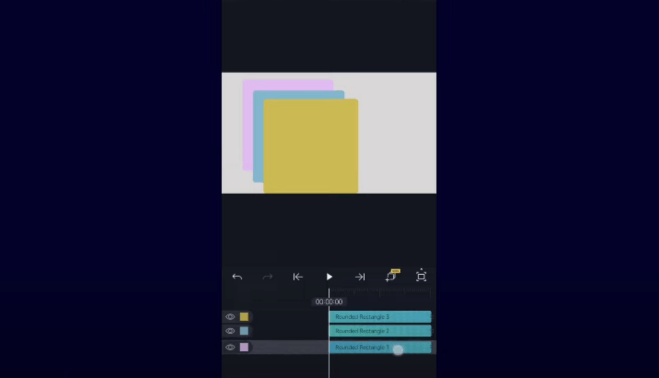
As I took on more complex projects, like designing sleek Instagram layouts for a clothing brand or a dynamic YouTube intro, the ability to control motion, apply effects, and bring everything together with precision became even more valuable.
Layers helped me unlock the potential to create more polished videos, giving life to my vision one frame at a time.
Whether it’s experimenting with different animations or just getting the key timing right, understanding how to move layers in Alight Motion makes the difference between an amateur cut and a professional-looking final product. It’s like having a team of invisible friends working behind the scenes while I explore new ways to tell stories through visual design.
Layer Properties using Alight Motion
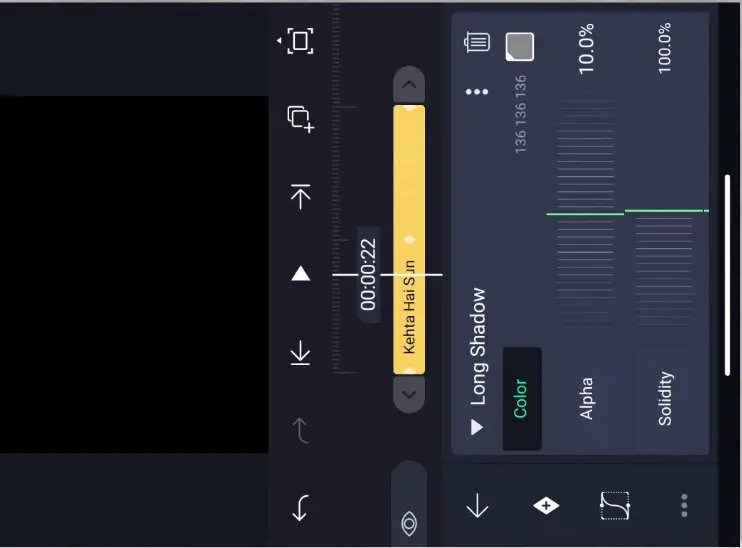
Every layer in Alight Motion has its own set of properties, which allows the user full control over each element. Learning how to move layers in Alight Motion gives you the flexibility to adjust things like position and scale with ease. Opacity and rotation are also fully customizable, giving you even more creative freedom. Apply these properties in all of your projects—whether you’re making a social media post, a YouTube intro, or any other type of video. Experiment with these options and unlock the key to achieving the results you want.
What Are Layer Properties?
Understanding How Layers Behave in Motion Design
When I work on a video intro for a client, especially for a brand like Adidas, I rely on layer properties to fine-tune every element. Each layer comes with settings that control its position on the screen, which I can drag manually or adjust.
Using X and Y values one can place these layers exactly where it needs to be. I often tweak the scale to change the size of a logo, making it larger or smaller depending on the scene.
To help certain elements stand out, I modify their opacity—making them more transparent when I need them to blend into the background. While learning how to move layers in Alight Motion, I also discovered how rotation can transform a simple text element into a dynamic visual, adding a professional touch to the final look.
I’ve learned that shifting the anchor point completely changes how a layer scales, rotates, and behaves during animation, giving me complete control over the flow of the composition.
How to Make Your Edits Stand Out with Keyframes
One of the biggest upgrades in my editing journey came when I started using keyframes in Alight Motion to animate layer properties. Whether I needed a logo to fade in smoothly or wanted the opacity to gradually increase from 0% to 100%, keyframes gave me total control.
I could easily set the position, adjusting it frame by frame, or even experiment with rotating, playing, and mastering small movements that added a professional, polished effect. It made my videos look way more clean and creative. I began understanding just how crucial these tools were for creating stunning animations.
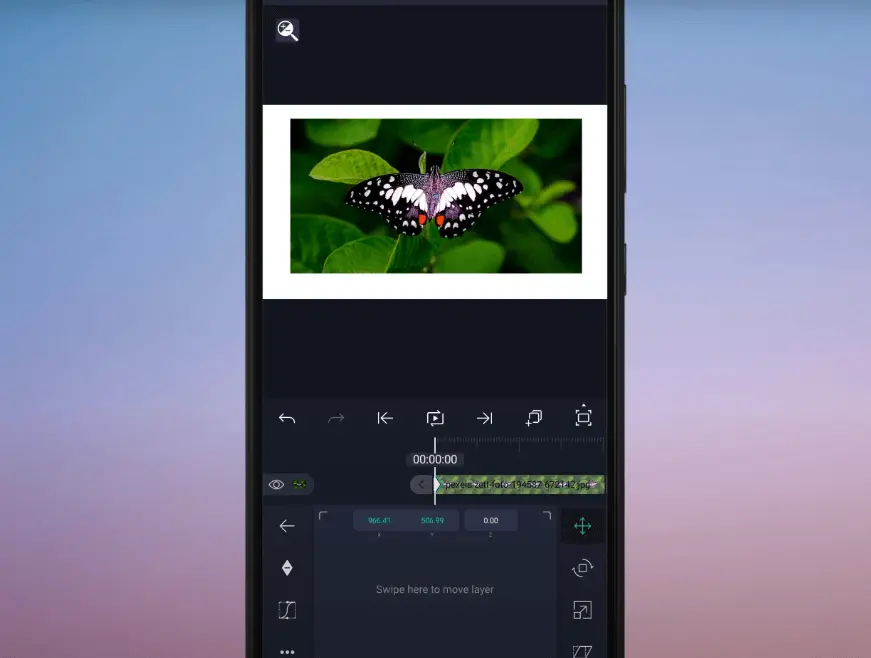
Every layer I worked with had the potential to add a powerful transition, and using keyframes the right way turned regular clips into eye-catching edits that actually progresses the video in a meaningful way.
Layer Management: How To Handle Layers In Alight Motion Like A Pro
When I first started using Alight Motion, managing each layer felt overwhelming—until I understood how to move layers in Alight Motion and animate their properties using keyframes. For example, I often set a logo to fade in as the video progresses, using opacity that gradually increases from 0% to 100%.
This simple technique adds a smooth transition and enhances the overall effect, making my videos look more polished and professional. You can also boost the overall clarity of your clips by using tools that enhance video quality during editing. Over time, I learned that understanding every layer and its role is crucial to creating clean and organized animations.
I now rely on tools like adjusting position, playing with movement, and rotating elements to get the perfect flow. The more I practiced, the more I found myself mastering the small details that make a scene feel intentional. Layer management isn’t just about stacking elements.
It’s about having full creative control over how everything moves and reacts. Once you lock in that rhythm, your editing becomes not only more efficient but also more dynamic and expressive.
If you want to see layer editing in action, you can check out this YouTube video for a practical demonstration.
How to Group and Ungroup Layers in Alight Motion
✅ Why Grouping Helps
- When working on complex projects with multiple layers and elements, grouping keeps things organized.
- Example: While creating an Instagram promo for a brand like Nike, grouping saved time and reduced chaos.
- Instead of managing each text or image piece separately, grouping lets you handle them as one unit.
- This makes it easier to move, edit, or animate multiple layers together.
🧩 How to Group Layers
- Tap and hold on each layer you want to include.
- Select all relevant layers (e.g., text, images, animations).
- Once selected, tap the “Group” button.
- The selected layers are now combined into a single group.
✂️ How to Ungroup Layers
- Tap on the grouped layer you want to separate.
- Hit the “Ungroup” button.
- Now, each layer becomes independent again — ready for individual edits.
🎯 When to Ungroup
- Needed when you want to:
- Edit a specific layer (e.g., change timing, position).
- Useful in projects like:
- Multi-layered YouTube intros
- Background adjustments
🚀 Pro Tip
- Mastering grouping and ungrouping keeps your editing smooth, efficient, and fully in control — especially in layered animations and brand promos.
How do you merge layers in Alight Motion?
Smart Layer Merging for Smooth Edits
How to Merge Layers in Alight Motion (Without Losing Control)
📝 Step-by-Step: Merging Layers
- To merge layers in Alight Motion:
- First, select and highlight the layers you want to combine.Tap each layer carefully, ensuring the right ones are selected.
- Then, use the “Merge” option or tap the “Merge” button to turn them into a single layer.
🎯 Why Merging Helps
- Merging is super useful because it:
- Prevents accidental edits to individual parts of your design.
- Keeps everything aligned — no more shifting elements by mistake
💡 Real-world example:
I once worked on a complex animation for a client’s website featuring their logo.
By merging the text and image layers, I avoided messing up the positioning or colors by accidentally moving one layer out of place.
⚠️ Important Tip Before You Merge
- Once layers are merged, individual adjustments become harder.
- So before merging, always:Double-check font sizesEnsure layers are locked (if needed)
- Verify exact positioning
- Think of merging as a commitment — you’re finalizing the design of those layers.
🚀 Why It’s Worth It
- Merging gives you better control over complex projects.
- No more worrying about tiny elements getting:
- Shifted
- Misplaced
- Or accidentally edited
- For me, mastering this merging step made my editing faster and my videos look more polished and professional.
Smart Merging for Clean Workflow
Benefits of merging & editing in complex projects
When you’re deep into a complex project in Alight Motion, knowing how to move layers in Alight Motion and how to merge them can make a huge difference. Start by selecting and highlighting the layers you want to work with, then simply tap the merge option or merge button to combine them into a single layer.
I always do this when I’m creating an animation for a client’s website, especially when working with text, a logo, or image layers. Merging layers helps me avoid accidentally moving or editing different parts of the design and keeps the layout clean. One time, I nearly messed up the positioning and colors of a project just by shifting one element out of place — merging saved it.
Check Your Editing Before Closing
That said, always watch out before you hit merge. Once it’s done, making individual adjustments to tiny elements becomes tough. Before finalizing, make sure you’re confident about how to move layers in Alight Motion to get the perfect layout. Double-check your font size, locked layers, and exact positioning so everything aligns perfectly before merging. The app is best for beginners in the context of editing.
This gives you better control to handle complex projects without worrying about anything getting shifted or misplaced. From my experience, mastering merging made my editing much faster, and my videos look way more polished and professional.
How To Delete Layers in Alight Motion
Why Deleting Extra Layers Matters
I’ve often experimented with various background colors, only to realize later that they weren’t needed. While organizing and learning how to move layers in Alight Motion, I discovered that removing unused layers keeps projects clean and easy to manage. It also prevents confusion later on when you’re deep into a complex timeline.
While editing in Alight Motion, having extra layers is normal, especially when you’re testing different images, text, or trying out a new effect that doesn’t make it to the final cut.
Steps to Delete a Layer Properly
To stay efficient, just select the layer, tap it, and hit the delete button or delete option in the layer panel or toolbar to remove it. It’s quick and effective.
Pro Tip: Always Double-Check Before You Delete
Before you delete a layer, always double‑check that it’s not connected to any key animations or effects. Once it’s gone, it’s gone.
Benefits of Keeping Things Clean
Regularly deleting unnecessary elements improves your app’s performance, helps avoid lag and crashes, and keeps your workflow running smoothly. When you know how to move layers in Alight Motion, it becomes easier to organize your timeline and keep everything efficient. Keeping your layers tight and clean ensures your edits stay focused and optimized — especially when working on fast-paced projects like TikTok videos or client content with tight deadlines. It’s a simple trick that gives you more control over your creative flow.
How To Clip and Copy Layers in Alight MotionStep-by-Step Guide
Why Use Clipping and Copying Layers?
Using clipping and copying helps save time and manage complex edits or multiple versions of a project easily. These tricks keep your design clean and efficient.
- Open the project and select the layer
- Tap on the layer to open options
- Use Duplicate / Copy option
- (Optional) Copy multiple layers at once
- Move or paste the copied layer
- Adjust position / timing
Why Copying Layers Speeds Up Your Work
When you need multiple copies of a layer, copying saves you from repeating the same work. It’s a great way to stay efficient while maintaining quality in your animations and designs.
How To Clip Layers in Alight Motion Step by Step Guide
Clipping in Alight Motion allows you to control how one layer interacts visually with another—especially useful for keeping effects or animations confined to a specific area.
Here’s how to do it:
- Select the layer you want to clip (e.g., a text, image, or effect layer).
- Open the Layer Menu, then choose the Clipping option.
- Position the clipped layer above the base layer you want it to clip into.
✅ This ensures that your animations and visual effects appear only within the boundaries of the base layer.
🎯 The result? A more precise, organized, and professional-looking composition.
Create Polished and Stunning Visuals Using Clipping
- Clipping can be a game-changer when you’re going for stylized or branded designs.
- For example:Clip a text overlay inside a silhouette or an image to create a clean, high-impact look.
- This technique works great for:
- Fashion reels for brands like H&MAds for a local boutique
- Any project that needs to look professional and polished
Why Clipping and Copying Save Time
Using clipping and copying techniques in Alight Motion really helps you save time and manage even the most complex edits or multiple versions of a project with ease. When you understand how to move layers in Alight Motion, combining it with these tricks keeps your design clean, efficient, and easy to manage.
Best Practices For Using Layers In Alight Motion
Organize Your Layers with Clear Names
When working on a complex project like a TikTok video or a video ad for a local gym or local boutique, following best practices with layers can make a big difference in your editing process. It’s important to keep your layers organized by giving them clear, easy-to-understand names like Header_Text, Sub_Text, Logo, or Background.
This helps avoid wasting time trying to figure out what each layer does, especially when the number of layers gets overwhelming. Keeping your content simple and named properly makes your workflow more productive and efficient.
Use Grouping to Manage Multiple Layers
Using grouping is a great way to manage multiple layers such as a product image and its shadow in an e-commerce ad. Grouping lets you move together and apply changes easily, maintaining alignment and consistency across your designs. It also makes the whole project easier to handle and improves your ability to keep a clean layout.
If you want to learn how to move a layer along a defined path in Alight Motion, check out the official Move Along Path guide from Alight Motion.
However, you should keep layer effects minimal to avoid clutter and prevent your app from slowing down. While learning how to move layers in Alight Motion, you’ll notice that adding only essential effects—like a subtle drop shadow or a gentle blur—can enhance your design without overloading the project or affecting performance.
Save Often and Merge Layers When Ready
A powerful tool like Alight Motion can sometimes lag or crash when working with many layers and effects, so make it a habit to save frequently. When your project is ready, merging layers can help simplify the timeline and reduce clutter. But be cautious — once merged, layers become harder to edit individually.
Once you learn to move and control layers properly, you can apply these skills to creative projects like making lyric videos using Alight Motion as a video lyrics maker for songs and short clips.
Conclusion
Moving layers in Alight Motion becomes very easy when you understand how each option works. You can group layers to move them together or ungroup when you want to edit them separately. If a layer is not needed, simply delete it.
You can copy or duplicate layers to save time and reuse your work. When you understand how to move layers in Alight Motion, it becomes even easier to organize these duplicated elements efficiently. And with clipping, you can control how effects stay inside a specific layer, keeping your edits neat and professional.By using these tools smartly, you can organize your project better and get cleaner, more professional results.